01
Copy Your Installation
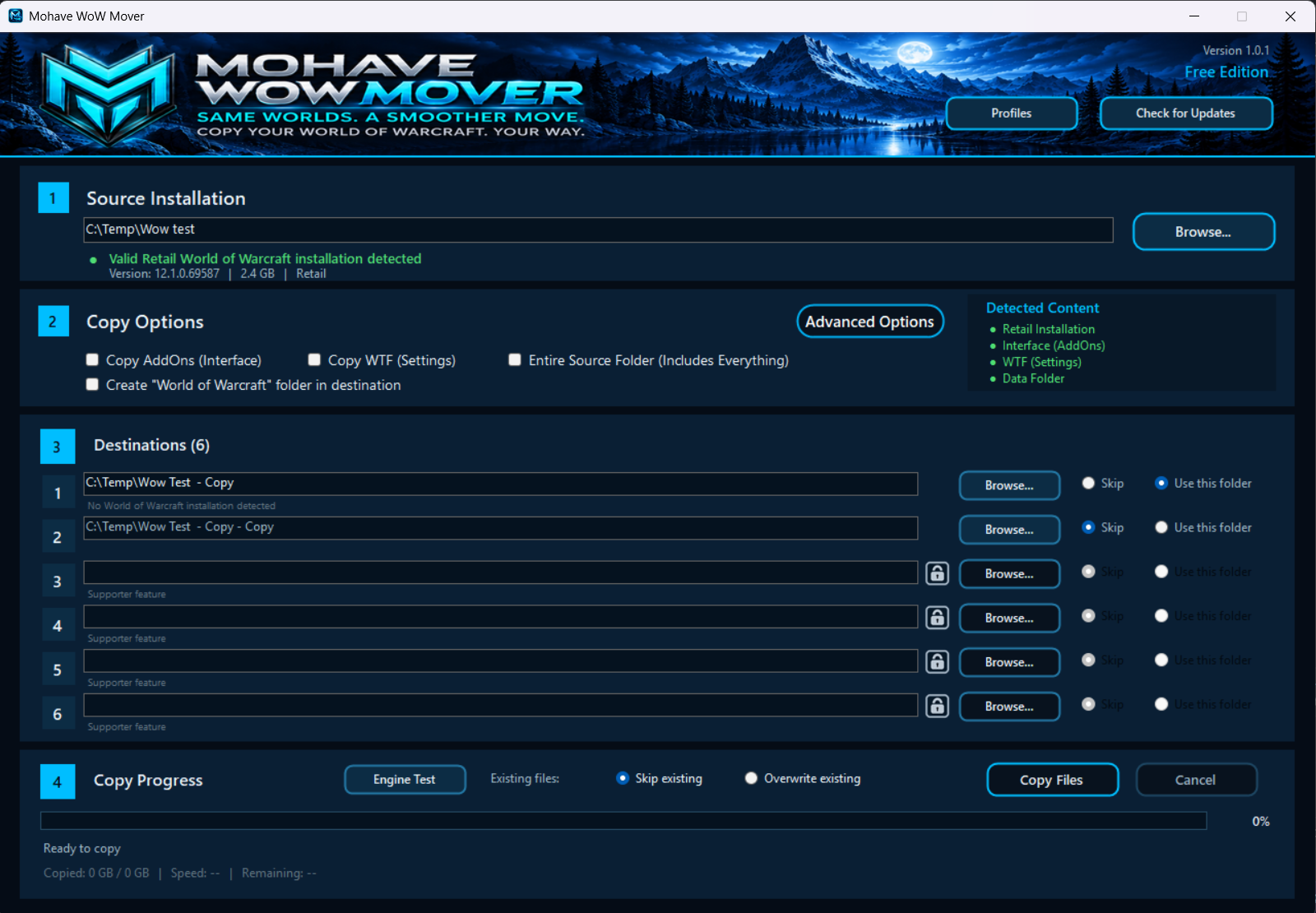
Select your World of Warcraft source folder and copy the installation to one or more destination folders.

MOHAVE TECHNOLOGIES SOFTWARE
Copy and manage World of Warcraft installations while preserving the files and folder structure needed for different environments.
BUILT FOR MULTIPLE INSTALLATIONS
WoW Mover simplifies the process of maintaining multiple World of Warcraft installations without manually copying and organizing large game folders.
Select your World of Warcraft source folder and copy the installation to one or more destination folders.
Maintain separate installations for different servers, environments, or configurations from one application.
Keep the required World of Warcraft directory structure intact while files are copied to their destinations.
See destination status and progress directly in the application while WoW Mover handles the copy process.
FREE AND SUPPORTER
One download includes both levels of access. Use WoW Mover free without an account, or connect your Mohave account to unlock its Supporter features when you support this project.
$0
No account is required for Free access.
$4.99 one-time
Supporter access is linked to your Mohave account for WoW Mover.
One-time contribution in USD. Includes ongoing access and future WoW Mover versions.
Contribute $4.99 USDOpen Account in WoW Mover and select Sign In. Complete the connection on the Mohave Technologies website, then return to the app. WoW Mover checks your account for support of this project and enables the available features automatically.
If the website is temporarily unavailable, previously verified Supporter access remains available for up to 72 hours from the last successful check. Returning to Free access keeps your saved profiles and settings.
DOWNLOAD
Download the latest Stable release of WoW Mover for Windows. Version information is provided directly by the Mohave Update Platform.
SYSTEM REQUIREMENTS
INSTALLATION
Download the latest Stable release of Mohave WoW Mover.
Extract the downloaded ZIP to a folder on your computer.
Close WoW Mover if it is running, then run the setup program from the extracted folder. Open WoW Mover from the Start menu and select your source and destinations.