01
Connection and network profiles
Organize saved configurations and switch between configured connections. Import and export profiles to help manage your setup.

WINDOWS SOFTWARE · IN DEVELOPMENT

Mohave Network Switcher brings network profiles, connection switching, troubleshooting and VPN controls into one Windows application.
Built for people who work with multiple connections and want a clearer view of their network, without repeatedly opening separate Windows tools.
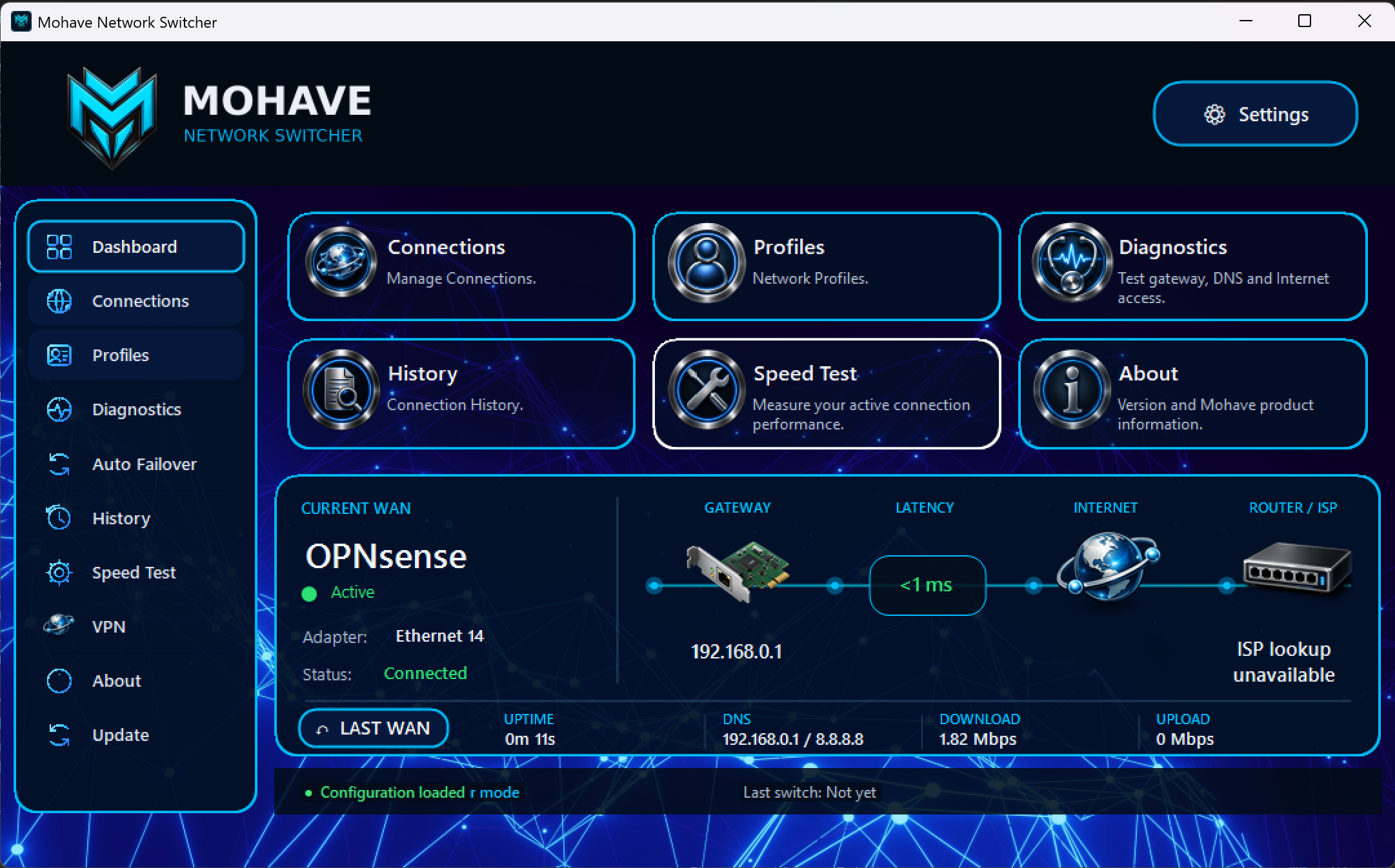
INSIDE THE APPLICATION
These features are present in the current development build. Testing and refinement are ongoing.
Organize saved configurations and switch between configured connections. Import and export profiles to help manage your setup.
See the active connection, gateway, public IP address and connection health from the dashboard.
Check gateway, DNS and Internet access, with tools including ping, traceroute, DNS lookup and route information.
Measure latency, download and upload performance from within the application. Performance testing across different connections is ongoing.
Work with saved WireGuard configurations, connect or disconnect, and view VPN status, connected time and received/sent traffic. A compatible VPN configuration and WireGuard for Windows are required.
Configure connection monitoring and fallback behavior. Failover is under development and being tested across real network setups.
APPLICATION PREVIEW
Actual screenshots from the development build. Features and appearance may change before release.
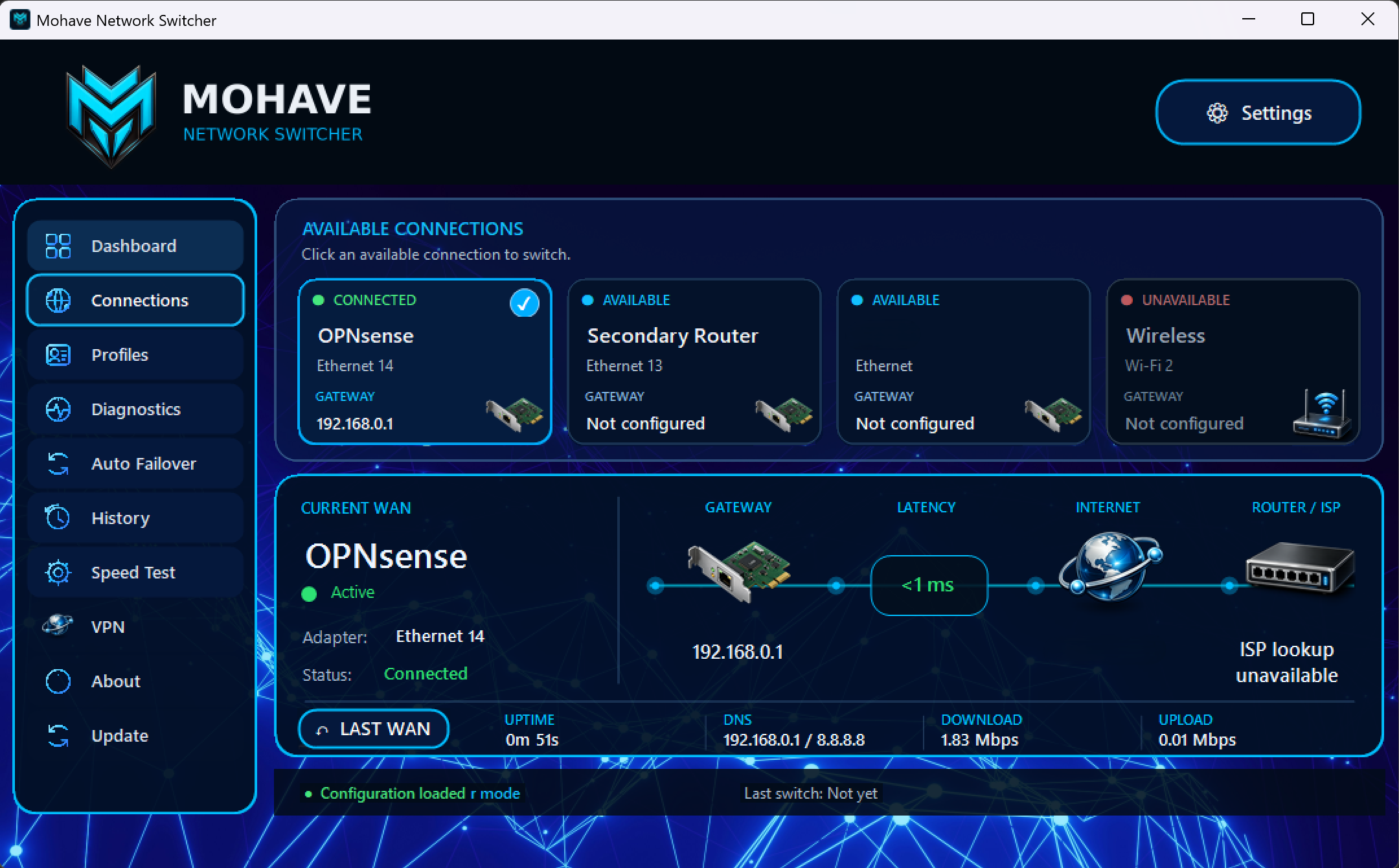
Configured connections with connected, available and unavailable status.
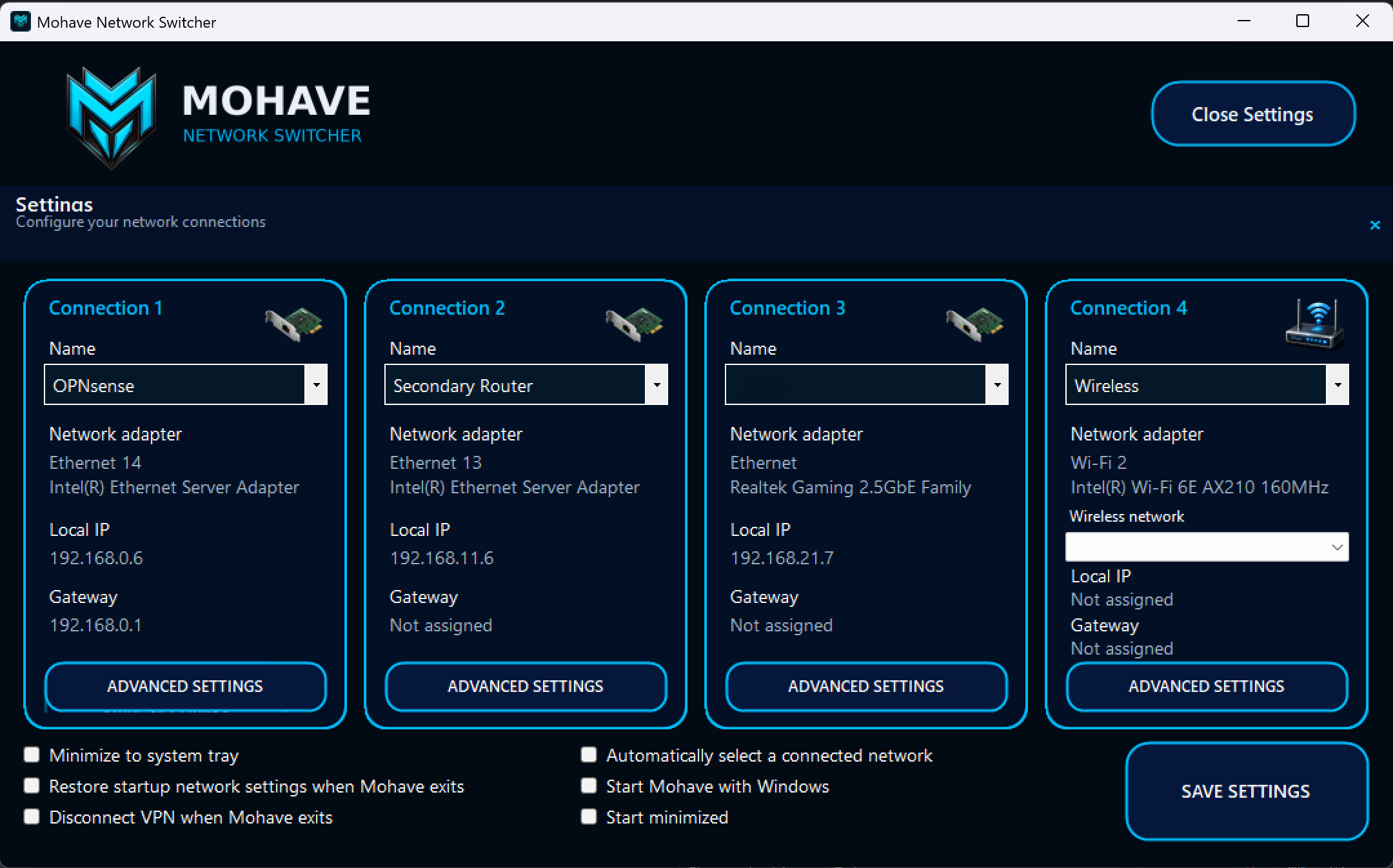
Adapter assignments and connection settings in the current development build.
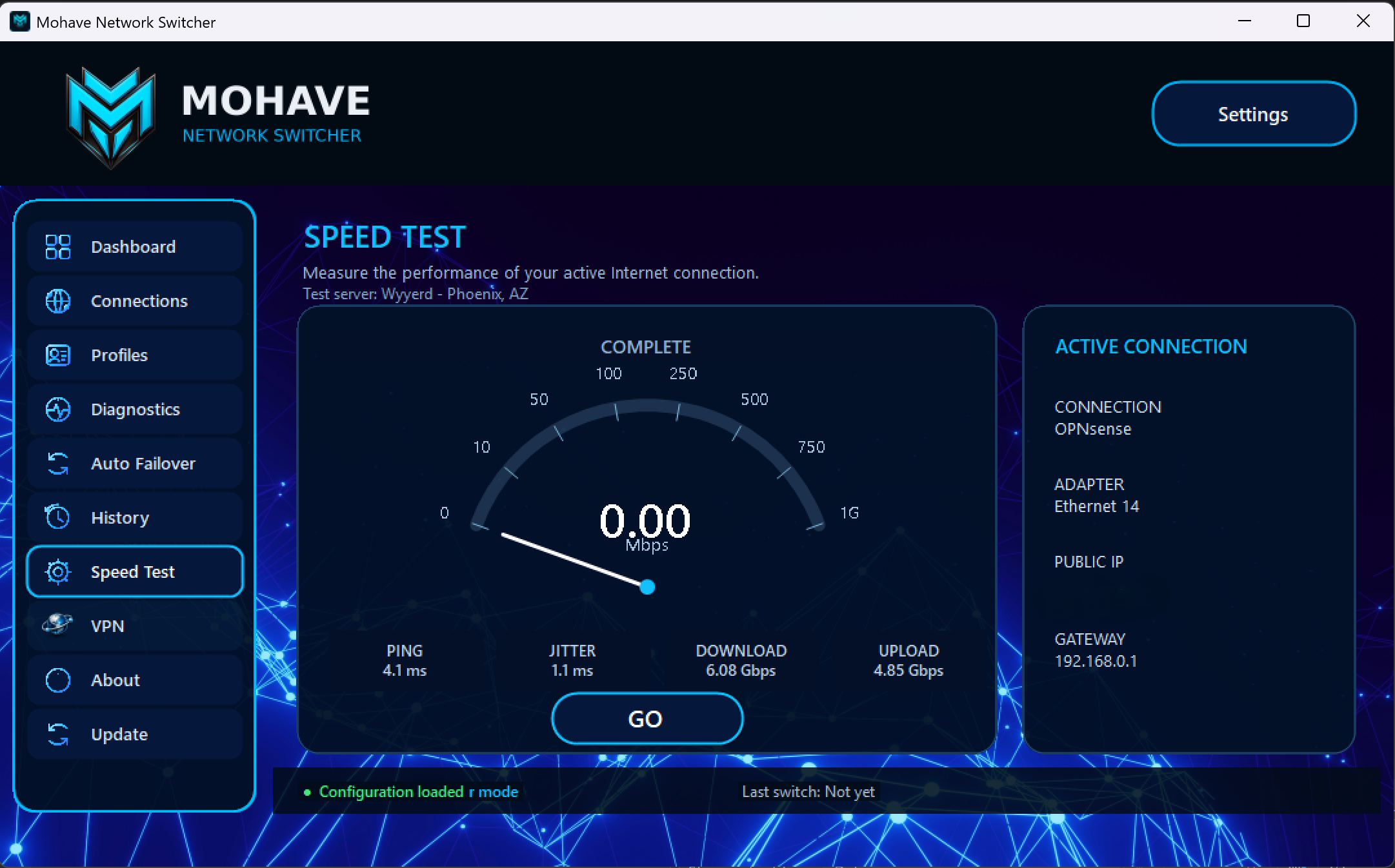
Latency, jitter, download and upload results from a development test. Results depend on the connection and test conditions.
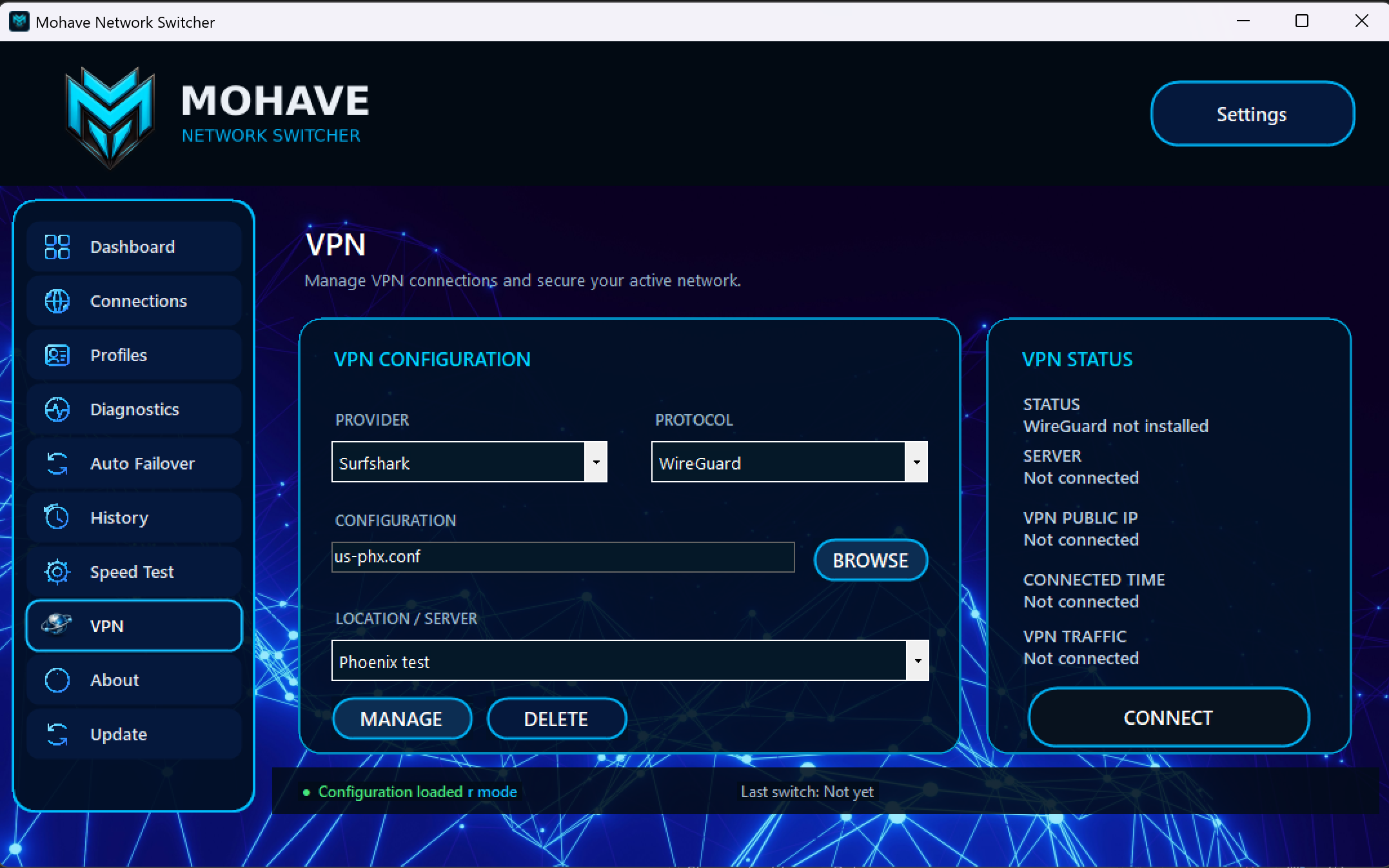
Saved WireGuard configuration and VPN status. This preview shows a disconnected setup with WireGuard not installed.
DEVELOPMENT PREVIEW
Network Switcher is an ongoing Mohave Technologies project. A public release date and pricing have not been announced.
Explore Mohave products